View this PDF as a Full Screen Document
Click/Tap the Presentation Mode Button/Menu Item
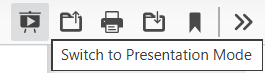
On a larger display, such as a desktop, the toolbar displays some buttons, and the first is “Presentation Mode”. When you hover your mouse over it, a tooltip displays, “Switch to Presentation Mode”. Click the button for a full screen display.
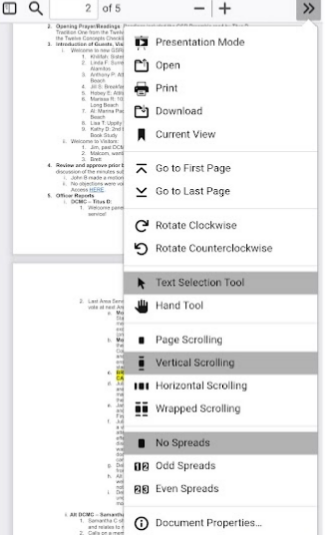
On a smaller display, such as a mobile phone, the buttons will not display. However, tap the [>>] to open the menu, then tap “Presentation Mode” – the first option.